1. What Is an AHT (Address History Trace) Discrepancy Alert?
An AHT Discrepancy Alert is generated when the applicant data provided on an order does not match the data we are able to verify through public and credit-related records.
This may occur when:
Applicant name does not match records
Date of birth does not match
Social Security Number does not match
No verified information is found
⚠ Important:
A discrepancy alert does NOT automatically mean fraud and does NOT mean the background check failed. It simply means some information could not be fully verified.
Standard Recommendation:
Clients should verify the applicant’s information using a government-issued ID.
If the information is correct → no further action is needed.
If incorrect → Client Services can update the order (fees may apply).
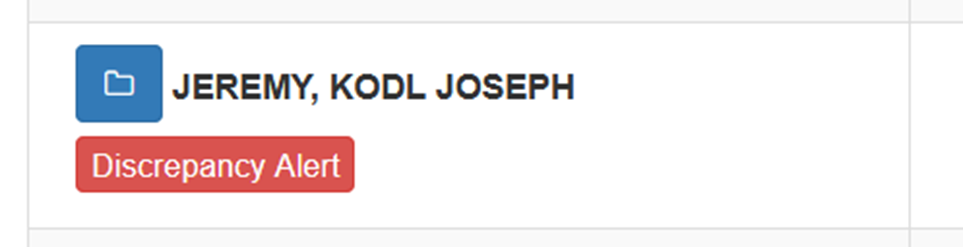
2. What Does the “Discrepancy Alert” Button Mean?
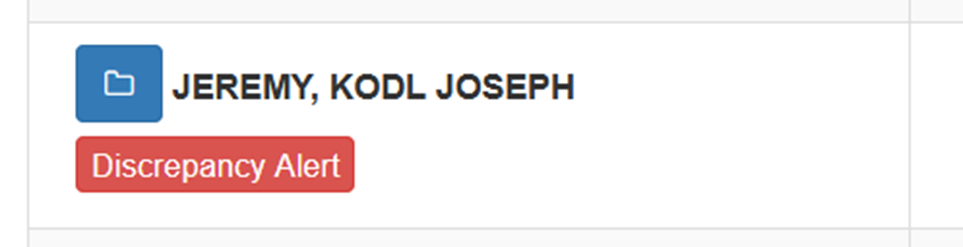
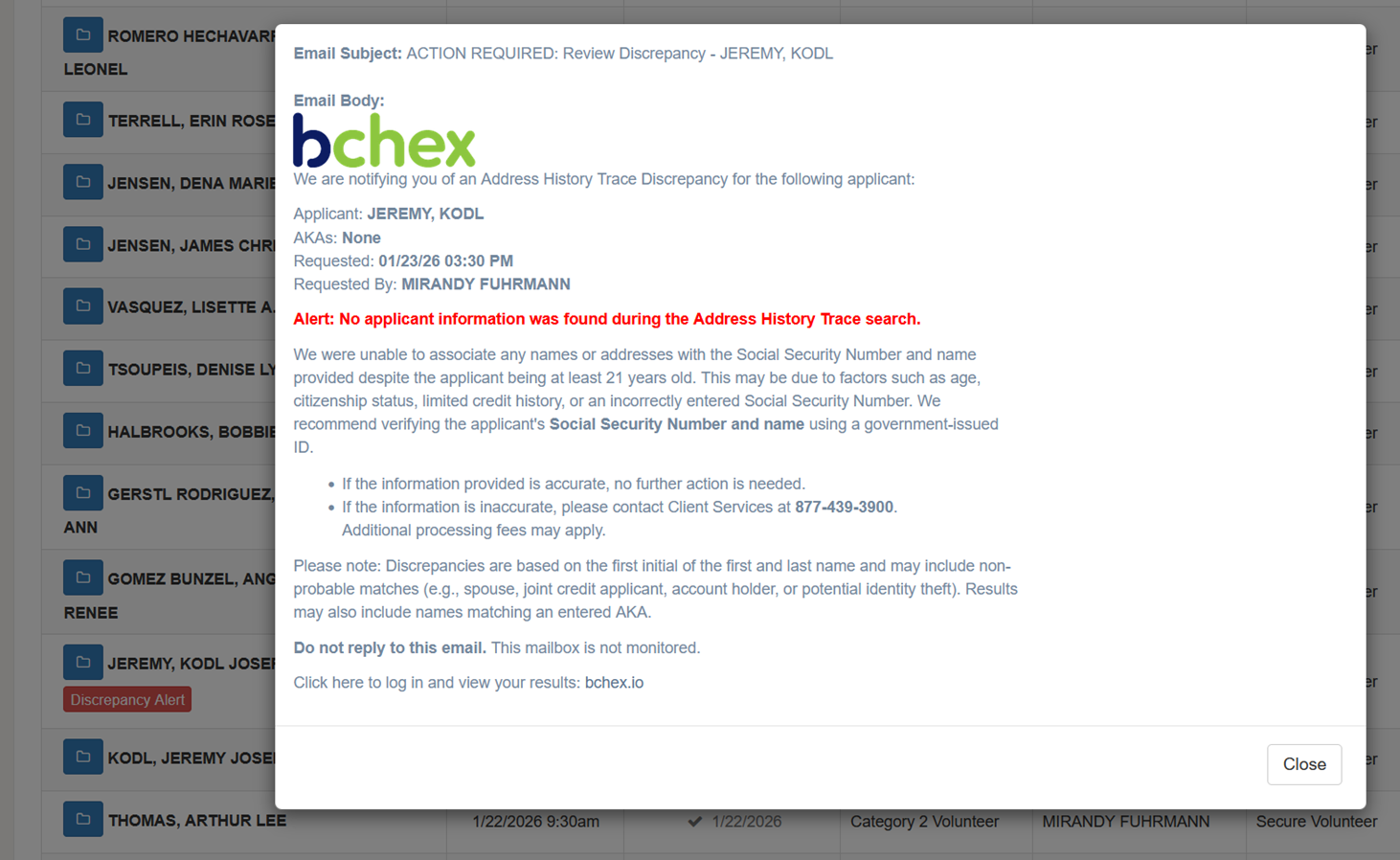
The Discrepancy Alert button is a new way of displaying the same AHT alert that was previously sent only by email.
When clicking the button:
You can view the exact alert email content
You can see who it was sent to
You can review what information triggered the alert
Visibility Change (Important Update):
Previously:
Only the requestor received the alert via email
Now:
The alert is visible inside Aegis
All authorized users on the account can view it
This improves transparency and allows faster action
Use this when explaining to clients:
“Although the alert is emailed to the original requestor, it is now visible within Aegis so all authorized users on the account can review it.”
3. Old Process vs New AHT Process
Old Process:
Only SSN was sent for verification
Results were compared afterward to other order
Alerts generated if mismatches occurred
Date of Birth Mismatch
Name Mismatch
No Information Found
New Process (3-Step Matching System):
The system now attempts verification in this order:
First Name + Last Name + SSN
First Name + SSN
First Name + Phone Number
If one step fails, it automatically moves to the next.
Alerts generated if mismatches occurred
Date of Birth Mismatch
Name Mismatch
No Information Found
Why This Matters:
Because phone number matching is now included:
An alert may NOT be generated even if SSN is incorrect
If valid applicant data is confirmed using phone + name, the order can still proceed normally
This improves accuracy and reduces unnecessary alerts.
4. New AHT Features You Should Know
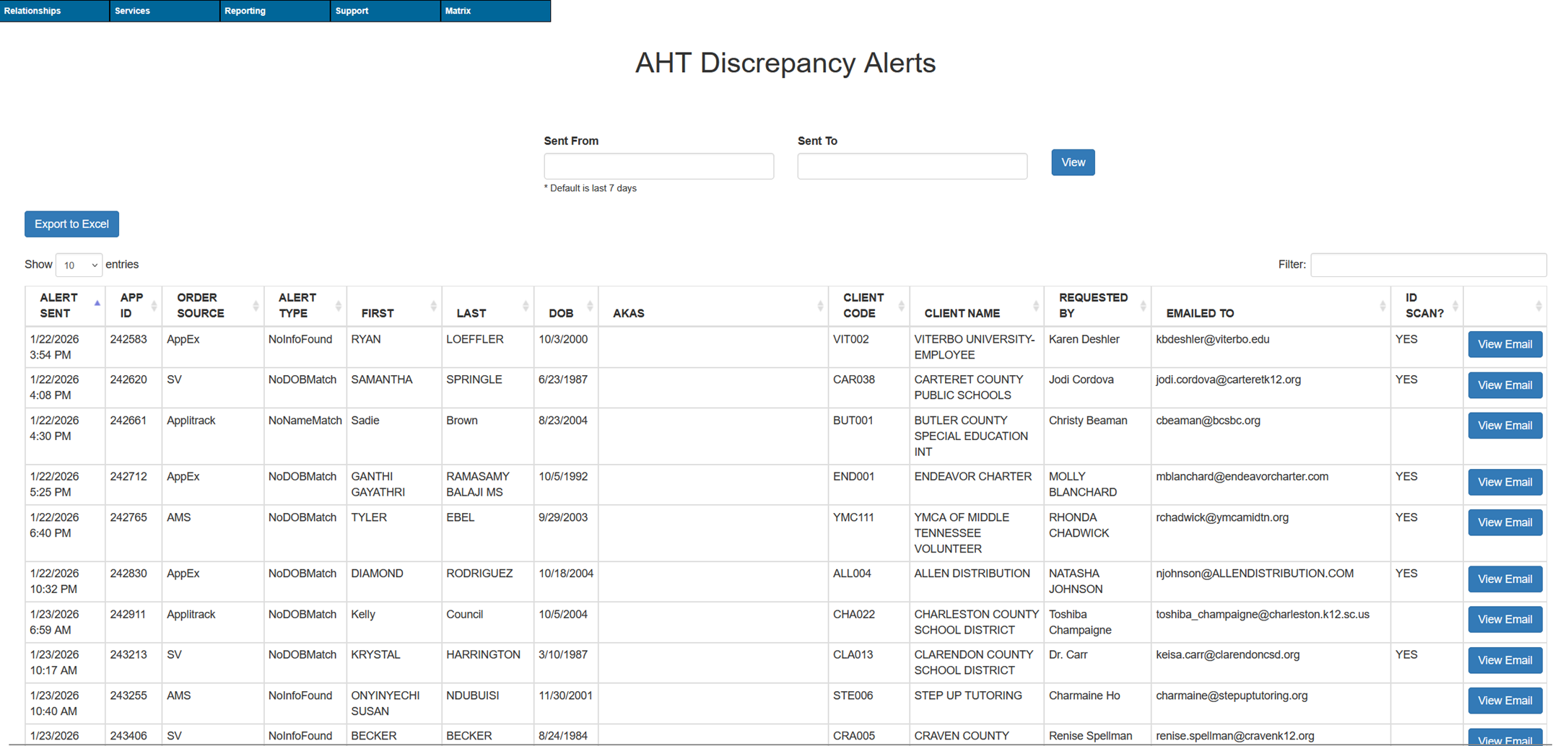
✅ AHT Alert Log Report (Matrix)
Location:
Reporting → Miscellaneous Reporting → AHT Discrepancy Alerts
Use this to:
Track alerts sent
Confirm alert history
Support escalations
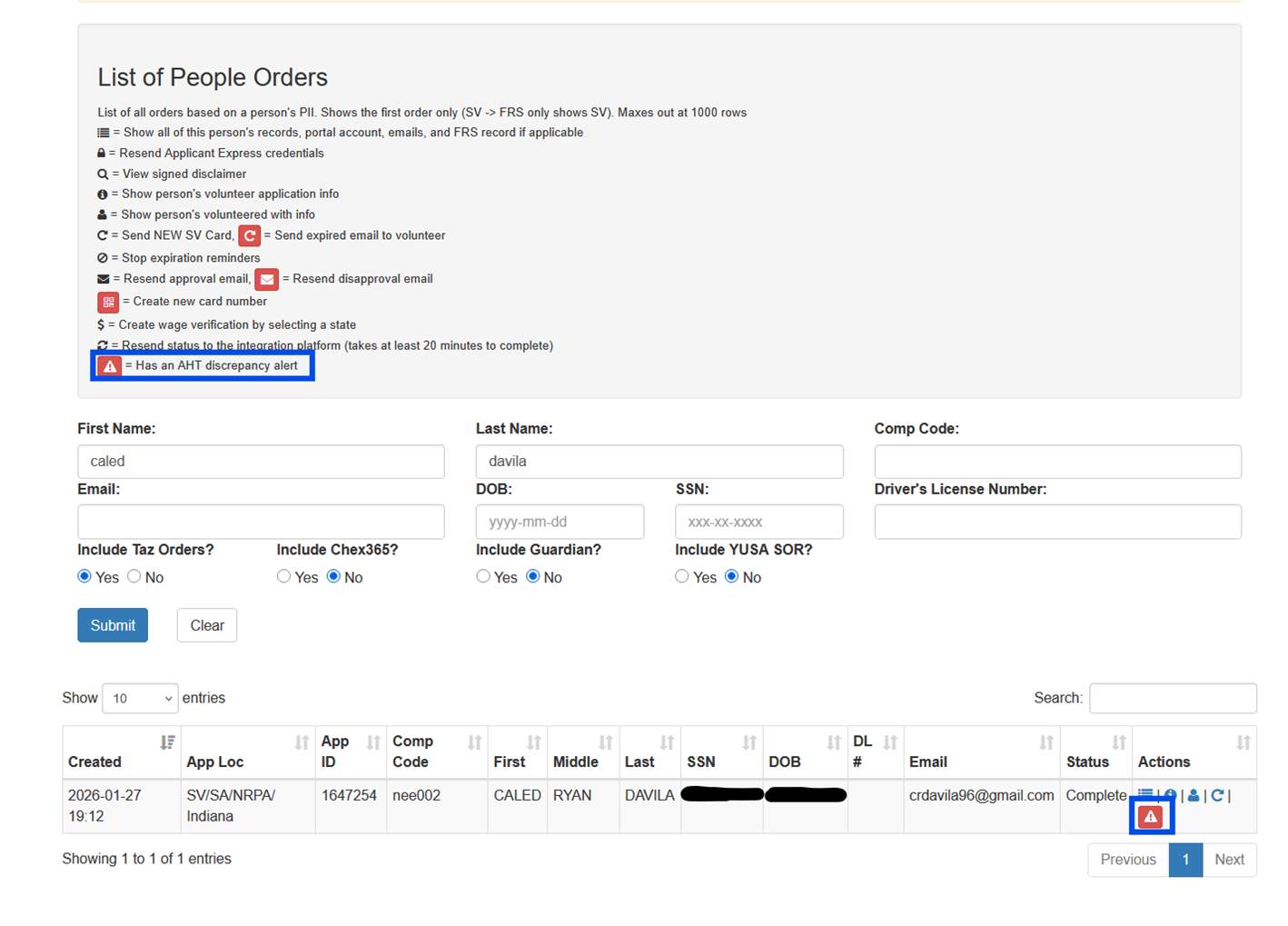
✅ Show All Tool Indicator
Displays if an order has an AHT alert
Clicking it opens alert details
✅ Aegis Alert Icon (NEW)
Shows AHT alert directly in Aegis
Allows all users on the account to view alert content
No longer limited to only requestor email
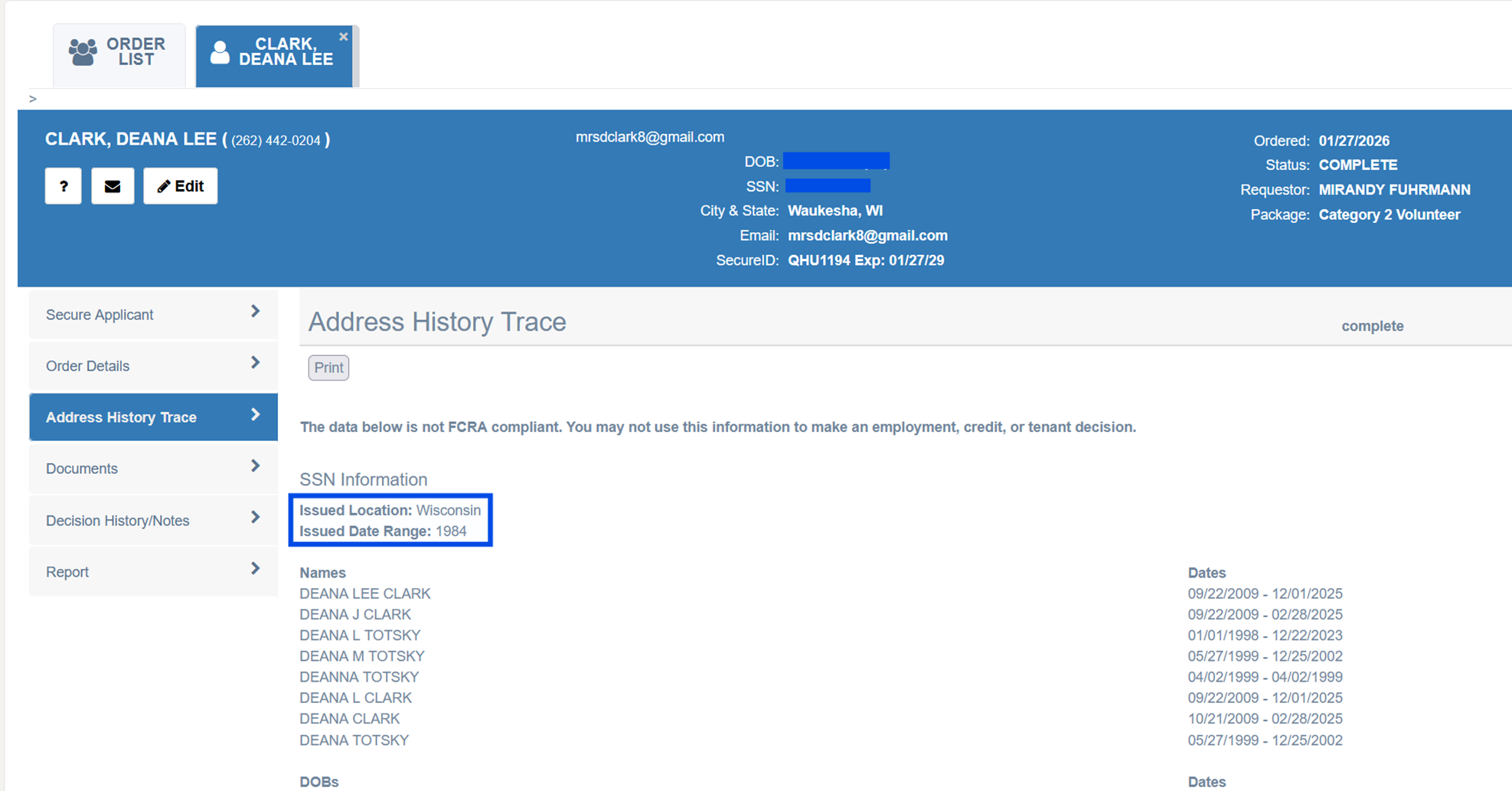
✅ Issuance Location and Issuance Date Range available in AHT.
5. Auto Clear Pass Update
What Changed:
Orders with an associated AHT alert will NOT auto-clear anymore.
Previously:
Orders could auto-clear even with discrepancies
Now:
Any order with an AHT alert requires review
Clients using Auto Clear Pass will receive formal communication.
6. How to Handle Client Tickets About Discrepancy Alerts
Step 1 — Identify the Alert
Check:
Aegis indicator
Discrepancy Alert button
Alert email contents
Step 2 — Explain Clearly to Client
Use simple explanation:
What triggered it (name, DOB, SSN mismatch)
It does not mean fraud
They can view details by clicking the alert
Other users can now see it in Aegis
Step 3 — Guide Next Action
Ask client to:
Verify applicant's Social Security Number and date of birth using a government issued ID.
If the information is inaccurate, the client will need to reach out to our Client Services team, additional fees may apply.
7. Ticket Response Template (Use This)
Use this format when replying to client tickets:
The “Discrepancy Alert” you are seeing is related to an Address History Trace (AHT) alert. This alert is generated when the information provided on the order does not fully match the data we are able to verify (such as name, date of birth, or Social Security Number).
By clicking the “Discrepancy Alert” button, you can view the same alert message that was sent to the original requestor of the order.
Although the alert is emailed to the requestor, it is now also visible within Aegis so other authorized users on your account can review the details and take any necessary action.
Was this article helpful?
That’s Great!
Thank you for your feedback
Sorry! We couldn't be helpful
Thank you for your feedback
Feedback sent
We appreciate your effort and will try to fix the article