If you are asked to provide a document to Bchex, this is the most secure way to do so:
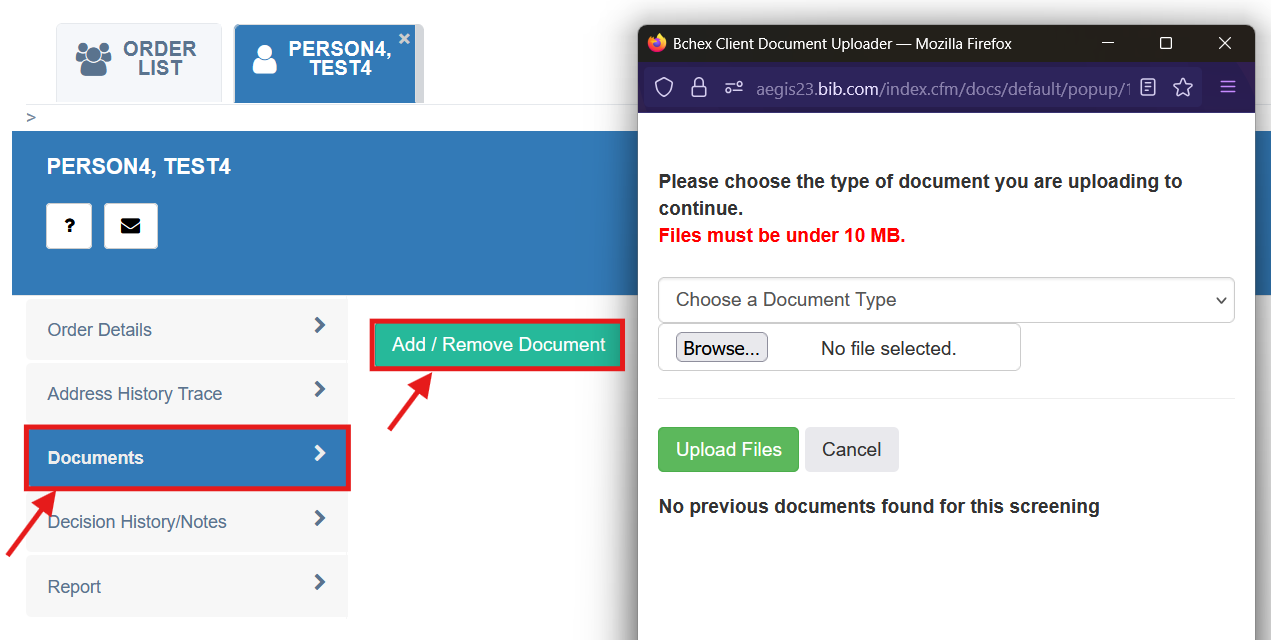
If you’d like to securely store a signed authorization form or other document required to a background check order, follow these steps:
Click the applicant’s name in the order list.
Select Documents > Add/Remove Document.
This is the most secure way to share documents.
⚠️ Do not email unsecured documents containing Personal Identifying Information (PII) such as Date of Birth or Social Security Number.
Was this article helpful?
That’s Great!
Thank you for your feedback
Sorry! We couldn't be helpful
Thank you for your feedback
Feedback sent
We appreciate your effort and will try to fix the article