ChexAuth is Bchex's secure authentication method used to verify your identity when logging into the platform. If you're having trouble signing in, the steps below cover the most common issues and how to resolve them.
How ChexAuth Works
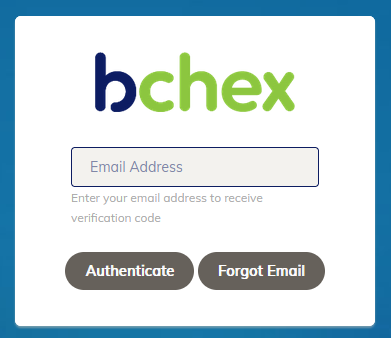
- On the login page, enter your email address and click Authenticate.
- You will receive an email from noreply@auth.chexauth.com containing a secure link or code.
- Click the link in the email to complete your login.
Not Receiving the Authentication Email?
If the email doesn't arrive within a few minutes:
- Check your spam or junk folder. Authentication emails are sometimes filtered by email providers.
- Contact your IT team. Ask them to whitelist noreply@auth.chexauth.com to ensure future emails are delivered to your inbox.
Receiving the Email But the Link Doesn't Work?
This is a known issue that can occur when your organization uses an email security scanning service. Some security tools automatically follow links in emails to check for threats — this can invalidate your authentication link before you have a chance to use it.
If this is happening, your IT or technology support team will need to whitelist noreply@auth.chexauth.com to prevent the security scanner from clicking links in authentication emails.
Still Having Trouble?
If you've tried the steps above and are still unable to log in, our Client Services team is happy to help.
clientservices@bchex.io | 704-439-3900
Was this article helpful?
That’s Great!
Thank you for your feedback
Sorry! We couldn't be helpful
Thank you for your feedback
Feedback sent
We appreciate your effort and will try to fix the article