If your organization uses Secure Volunteer, Secure Applicant, or Applicant Express, you can easily locate an applicant’s signed authorization form:
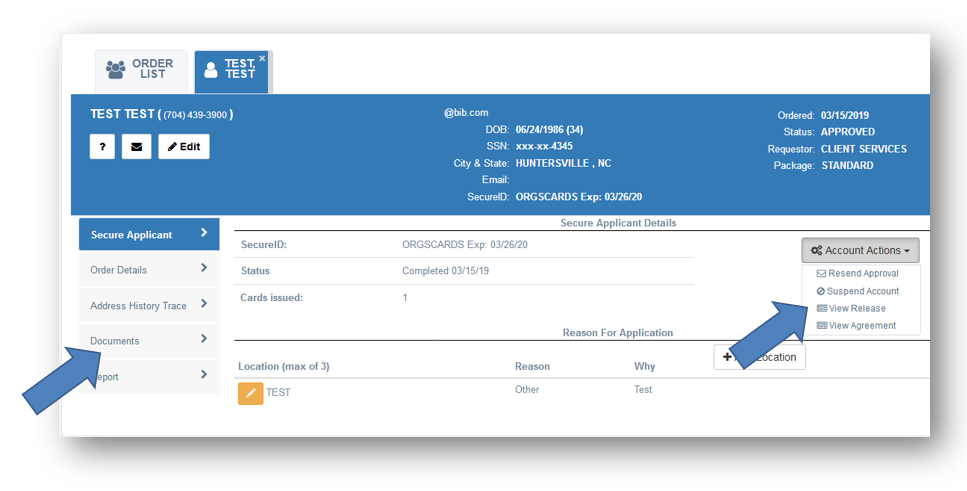
Click the applicant’s name under Background Check Orders.
Look under Account Actions and click View Release.
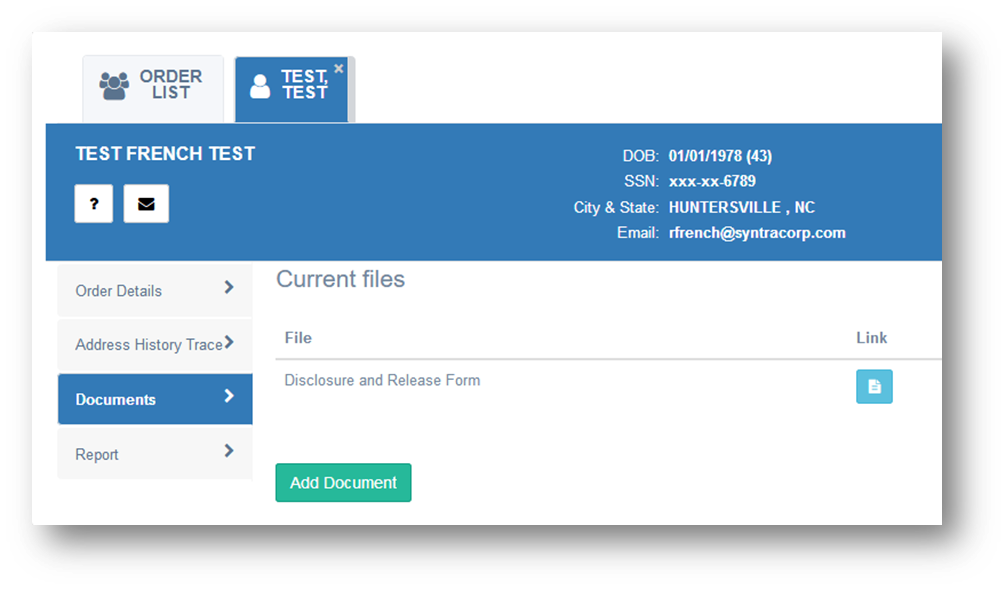
For Applicant Express orders, this form will be available under the Documents section.
Was this article helpful?
That’s Great!
Thank you for your feedback
Sorry! We couldn't be helpful
Thank you for your feedback
Feedback sent
We appreciate your effort and will try to fix the article