Logging in to Aegis is quick and easy using our secure authentication system, ChexAuth. Here's how to get started:
- Go to https://aegis.bib.com — or visit www.bib.com and click Login in the upper-right corner.
- Enter your Email Address and click Authenticate.
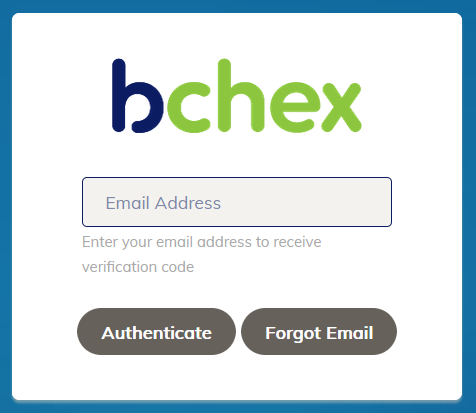
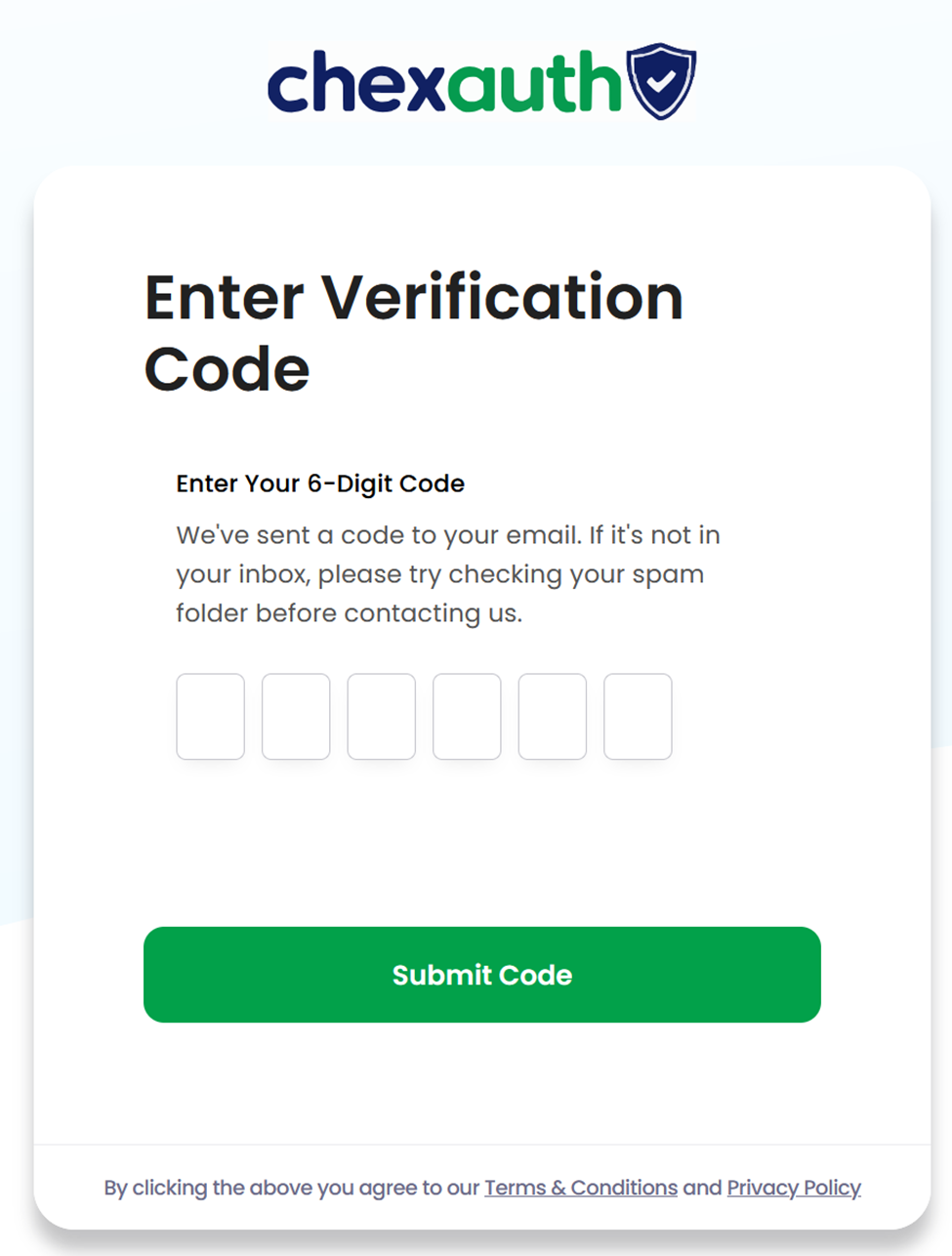
- You'll be redirected to the ChexAuth verification screen, and an email will be sent to you from noreply@auth.chexauth.com.
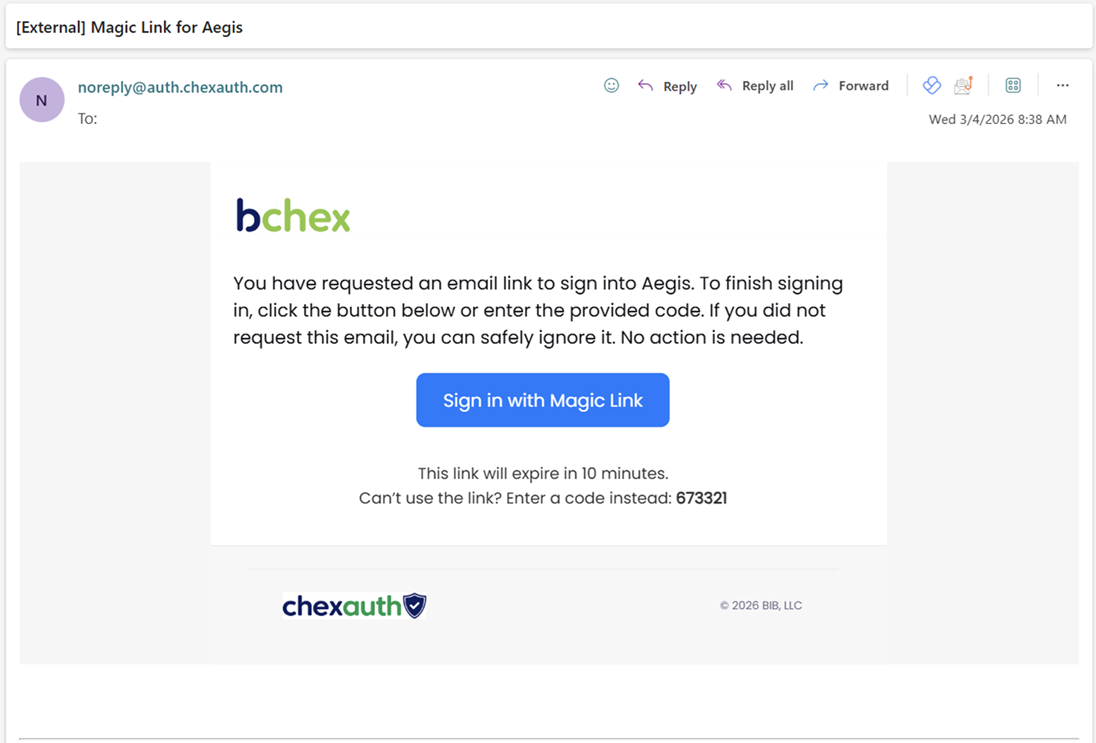
- The email will include two options to complete your login — choose whichever works best for you:
Option A — Magic Link Click Sign in with Magic Link in the email. A new browser window will open and complete the login process automatically. Important: The Magic Link must be opened in the same browser where you started the login. If it opens in a different browser, authentication may fail.
Option B — Verification Code Copy the verification code from the email and paste it into the ChexAuth authentication page.
Once verified, you'll be logged in to Aegis!
Need help? Contact our Client Services team:
Email: clientservices@bchex.io Phone: 704-439-3900
Was this article helpful?
That’s Great!
Thank you for your feedback
Sorry! We couldn't be helpful
Thank you for your feedback
Feedback sent
We appreciate your effort and will try to fix the article