Single Sign-On (SSO)
Single Sign-On (SSO) allows you to access and manage multiple Bchex accounts without needing to log in and out of each one separately. Once SSO is configured for your organization, you can seamlessly navigate between accounts from a single login session.
Dashboard
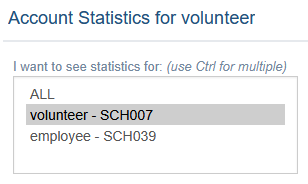
On the main dashboard, you can customize which account statistics are displayed at a glance.
- Click the gray wrench icon to open the display settings.
- Choose to view statistics for one, all, or a selected combination of your linked accounts.

Placing a New Order
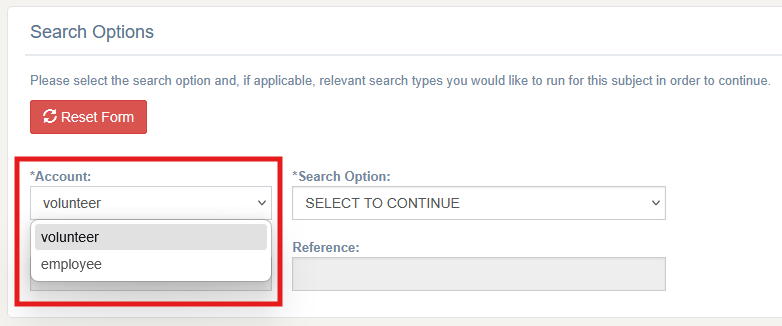
When placing a new background check order, you will be prompted to select which account the order should be placed under before proceeding. This ensures orders are always associated with the correct account.
Background Check Orders
The Background Check Orders page includes additional tools to help you manage orders across multiple accounts:
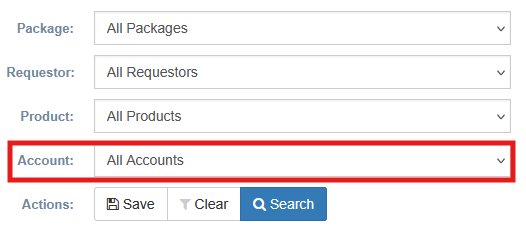
- A new filtering option allows you to narrow results by a specific account.
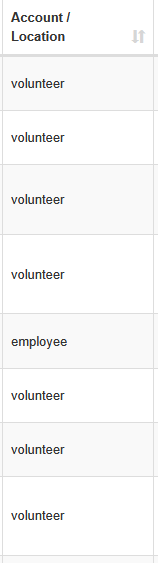
- A new column has been added to indicate which account each order was placed under, making it easy to identify and organize orders at a glance.
? Note: SSO must be configured by Bchex before it can be used. If you are interested in setting up Single Sign-On for your organization, please contact us at clientservices@bchex.io.
Was this article helpful?
That’s Great!
Thank you for your feedback
Sorry! We couldn't be helpful
Thank you for your feedback
Feedback sent
We appreciate your effort and will try to fix the article